Return to Uzone News Portal

At first glance, a home server might seem like an unnecessary side project—something pursued more for tech prestige than genuine utility. But that assumption overlooks the practical value a home server can bring to your everyday digital life. Far from being just a geeky experiment, home servers offer real advantages in terms of privacy, control, and convenience.
Even better, the process of setting up your own server may not be as complicated as you think. Depending on your goals, it can be surprisingly accessible. Let’s break down what a home server is, why it’s worth considering, and how to get started.
What Is a Home Server?
In the realm of networking, a server is a computer designed to provide services or data—such as web content—to other devices. While most people are familiar with servers in massive data centers, a home server is a scaled-down version that runs on your personal network.
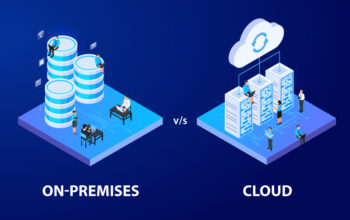
Typically, a home server is a computer connected to your home network, operating without a dedicated screen, mouse, or keyboard. It runs quietly in the background, serving various digital needs throughout your household. Unlike cloud platforms managed by third parties, a home server gives you full ownership and control over your data and services.
Do You Really Need One?
While a home server isn’t a necessity for everyone, it can be an incredibly useful tool—especially if you’re looking to enhance your digital environment. Ask yourself these key questions to help decide:
- Do you value privacy over convenience when it comes to data?
A home server allows you to keep sensitive information in-house, without relying on third-party cloud providers. - Have you considered the ongoing cost of cloud storage?
Setting up your own server has upfront expenses, but it can ultimately save money if you’re currently paying for premium storage plans. - Are you interested in tech and enjoy DIY projects?
Building and configuring a home server is a rewarding challenge for those who love to tinker and learn. - Does your household need shared access to digital resources?
A server can act as a centralized hub for family files, media, and devices, streamlining access and organization.
Practical Uses for a Home Server
A home server can serve a variety of functions, many of which directly improve the digital experience for you and your family. Here are some compelling use cases:
1. Media Streaming
Imagine having all your music, photos, and movies stored in one place and available on-demand from any device. By using software like Plex or Emby, your home server can become a powerful personal media center that delivers content to your TVs, smartphones, or tablets without hassle.
2. File Storage, Backups, and Sharing
Say goodbye to juggling USB drives or relying on expensive cloud subscriptions. A home server offers a secure and easily accessible place to store your files, back up your devices, and share documents across the household.
3. Smart Home Automation
Your home server can also act as the brain of your smart home. It can connect and control devices such as lights, thermostats, security cameras, and more. Through automation platforms, you can personalize how and when these devices operate to fit your lifestyle.
4. Hosting Game Servers
Enjoy smoother multiplayer gaming by hosting your own game servers for titles like Minecraft, Rust, or Counter-Strike. Not only does this eliminate third-party hosting fees, but it also gives you full control over server settings, mods, and performance.
5. Running Your Own Website
Want to launch a personal blog, portfolio, or business site? Your home server can serve as your own hosting platform. Tools like Apache and Nginx make it easy to set up and maintain websites—all from the comfort of your living room, and without monthly hosting fees.
How to Set Up a Home Server
Setting up a home server may seem daunting, but with the right tools and community support, it’s entirely achievable. Here’s a step-by-step overview to guide your journey:
Step 1: Choose Your Hardware
You can:
- Buy a ready-made server,
- Repurpose an old computer, or
- Build your own from components.
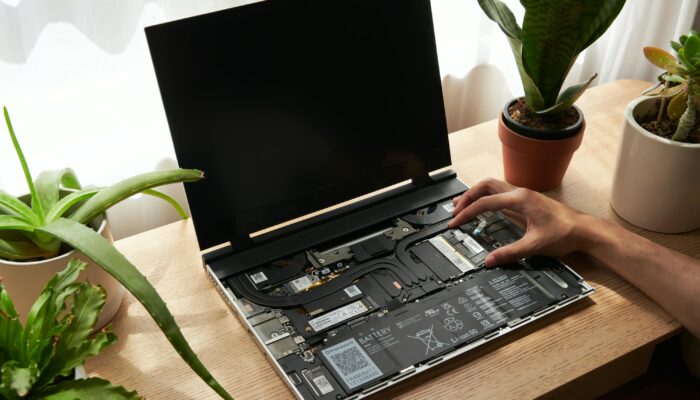
Key considerations include processing power, energy efficiency, storage capacity, and the potential for upgrades. For many, reusing an older desktop is a cost-effective entry point. If you build from scratch, you can tailor the server exactly to your needs.
Step 2: Pick the Right Operating System
Several operating systems are commonly used for home servers:
- Ubuntu Server – Ideal for Linux users; stable, secure, and widely supported.
- CentOS – Offers long-term support and is well-suited for enterprise-level tasks.
- Debian – Known for its simplicity and robust performance; good for general server use.
- Windows Server – A familiar environment for Windows users, with powerful built-in tools.
Choose one that matches your experience level and intended use.
Step 3: Install Essential Server Software
Your software setup will depend on how you plan to use your server. Some common tools include:
- Plex or Emby for streaming media.
- Samba for file sharing between devices.
- Apache or Nginx for hosting websites.
Each application has its own installation and configuration process, so follow the official documentation for best results.
Step 4: Configure Your Network
To ensure your server is accessible and reliable:
- Connect it to your network via Ethernet (recommended) or Wi-Fi.
- Assign a static IP address so your devices can consistently find it.
- Set up port forwarding on your router if you plan to access it remotely. This tells the router which traffic to send to your server.
Keep in mind that specifics may vary based on your router and operating system.
Step 5: Secure Your Server
Protecting your server from unauthorized access is critical. Here’s how:
- Enable a firewall to monitor and restrict unwanted network traffic.
- Set up individual user accounts with appropriate permissions.
- Use a VPN to encrypt your data and prevent outside snooping—including from your ISP.
If you plan to access your server remotely through a VPN, opt for a provider that offers a dedicated IP address for a more reliable and secure connection.
Conclusion
A home server shifts digital management from third-party cloud dependencies to localized network ownership, offering distinct advantages in data privacy, cost elimination for premium storage, and household resource centralization. By operating silently as a headless unit within a local network, it functions as a highly versatile hub capable of hosting personal media streaming via Plex, organizing unified device backups, anchoring smart home automation, managing private gaming servers, and hosting personal websites without subscription fees. Executing this DIY setup involves repurposing old hardware or building custom energy-efficient rigs, selecting a compatible operating system like Ubuntu or Windows Server, installing tailored software, and establishing stable network configurations through static IP addresses and port forwarding. Ultimately, long-term operational integrity hinges on implementing strict security hygiene, which requires enforcing firewalls, segmenting user account permissions, and utilizing encrypted VPNs to safeguard personal assets from unauthorized access.